
If you’ve ever dug into mid-range routers, you’ve probably wondered about all the tiny things that mess with their performance—things that don’t get talked about as much as wifi speed or range. I run a mid-range router supplier, and I get a ton of questions from small business owners, office managers, even home office folks asking: do environmental factors like humidity actually mess with these routers? Spoiler: yeah, they do—way more than most people think, and it’s not just the obvious stuff like heat or dust. Let me break this down like I would with a customer on a sales call, no jargon, just real talk from someone who’s been dealing with wifi gear for years.
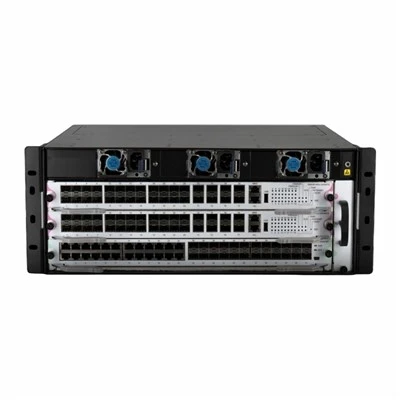
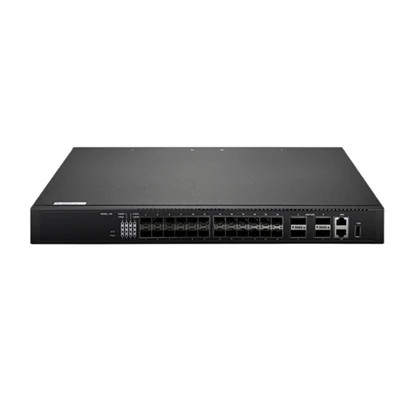
First, let’s get clear on what mid-range routers are, for anyone who’s not deep in the game. These aren’t the super fancy enterprise 10g Router that cost a small fortune and handle 50+ devices at once, nor are they the cheap home routers that die when you connect a smart TV, a laptop, and a work phone all at the same time. Mid-range routers are the sweet spot: they’re built for small businesses (5–20 employees), busy home offices, or small co-working spaces, they have enough power to keep up with regular usage, and they’re priced so you don’t need to take out a small loan to buy one. Our Mid Range Router lineup hits that exact mark—we’ve seen these hold up great in regular spaces, but when environments get off, humidity is a big culprit most folks miss.
Let’s start with how humidity actually interacts with router hardware, because it’s not just “wet air = bad.” Routers work by sending and receiving radio waves (wifi signals) via internal antennas and circuit boards. Those signals are basically electromagnetic waves, right? Humidity is just water vapor in the air. Wait, but water is a conductor—so does that mean wet air messes with the signals? Sort of, but not exactly how you’d think. Let’s get into the two main ways humidity hits mid-range routers: first, direct signal interference, and second, long-term hardware corrosion that builds up over time.
First, signal interference. Most mid-range routers operate on two bands: 2.4GHz and 5GHz. The 2.4GHz band is longer range but more prone to interference because the longer wavelength bounces off more things—walls, doors, even water molecules. When humidity is high (think a kitchen without exhaust fans, a workshop, or an office in a tropical climate), those extra water molecules floating in the air get in the way of the 2.4GHz signals. I’ve seen this firsthand at a local café that used our Router 1300 Mbps for their order tablets and customer wifi. They’re in a basement with no AC, and on humid summer days, their order tablets would drop connection every 10 minutes. We noticed the humidity in that spot hits 70%+ some days, and the 2.4GHz band was getting blocked so much that the routers had to crank up their power, which actually made things worse—more interference with nearby signals, too. The 5GHz band is less affected here because the wavelength is shorter, but high humidity can still cause minor signal loss on that band if it’s really extreme.
Then there’s the hardware side, which is way sneakier and doesn’t show up right away. High humidity isn’t just water vapor—it can also carry tiny amounts of other stuff if you’re in a dusty or industrial space, but even clean, moist air is bad for router internals. Mid-range routers have small circuit boards with tiny metal connections between chips, antennas, and the power supply. When moisture builds up inside the router’s casing (especially if it’s placed in a tight spot like a cabinet or under a desk with no airflow), it creates a thin layer of water on those metal parts. Over time, that water can cause corrosion—think of how a metal nail gets rusty after being outside in the rain. Corroded connections don’t pass signals as well, so your router’s speed drops, or it cuts out randomly. We’ve had a customer with a small woodworking shop use our Router 1800 Mbps, and after a year, they started getting complaints that the wifi was slow. Turned out, the shop has constant sawdust, and the high humidity from cutting wood had combined with the dust to create a gunk that corroded the router’s internal antenna wires. They’d never considered environmental factors—they just thought the router was cheap, so it died early.
Wait, but not all humidity is bad. Low humidity can be an issue too, though it’s less talked about. If the air is super dry (like in an office with harsh winter heating, or a desert space), that can cause static electricity. When you open a router’s casing to troubleshoot (which you should never do unless you know what you’re doing), static can zap the tiny chips inside and break them. Mid-range routers are built to handle a range of humidity levels, but extreme either way pushes them past their limits. Our Corporate Wifi Routers are tested to handle 10–90% humidity (non-condensing, that’s key) because we know small businesses can be in all kinds of spaces, but we still warn customers to watch out for signs of off humidity.


Let’s compare that to other environmental factors people usually worry about, like heat or dust, to put this in perspective. Heat is definitely a bigger immediate problem—if a router is sitting on a windowsill in direct sun or next to a space heater, it’ll overheat within hours and stop working. Dust is also a big one because it blocks airflow and traps moisture, making the humidity problem worse. But humidity is insidious because it works slowly. You might not notice bad performance for months, and by the time you figure out it’s the environment, the router’s already got corrosion that’s hard to fix. I see this all the time with new customers—they test their router in a dry showroom, it works great, then move it to their actual space and start having issues a few weeks later, never connecting the dots to humidity.
Here’s the thing about mid-range routers specifically: they’re built for balance. They’re not rugged industrial gear that can handle constant high humidity or dust, and they’re not high-end models with extra sealing on the circuit boards. So they’re a bit more sensitive to environmental fluctuations than enterprise-level gear, but way more durable than cheap consumer routers. The good news is, there are easy fixes if you notice humidity is messing with your router. First, move it to a spot with better airflow—don’t tuck it in a cabinet or under a pile of cables, leave at least 6 inches of space around it on all sides. Second, if you’re in a super humid space (like a bathroom, basement, or tropical climate), make sure there’s good ventilation in the room, maybe add a small dehumidifier if needed. Third, if you’re seeing random drops or slow speeds, try switching the router to only use the 5GHz band temporarily, since it’s less affected by humidity—just note that it has shorter range, so you might need an extra access point if your space is big.
Wait, let’s circle back to my own experience to make this real. Last year, I worked with a small marketing firm that had their office in an old converted basement. They used one of our mid-range routers for 12 employees, and for the first month, everything was fine. Then all of a sudden, their video calls were glitchy, and their client wifi was dropping connections every hour. They tried restarting the router, updating the firmware, even replacing their laptops, and still nothing. When they called me, I asked about their space—turns out, their basement humidity runs around 75% on most days, and they had the router sitting on a shelf right above their water heater, which was adding even more moisture to the air. We moved the router to a shelf near the ceiling (better airflow) and recommended a small dehumidifier for the office, and their issues were gone within a week. They thought the router was faulty, but it was just the environment—something no amount of tech support can fix without adjusting the space.
Is there a way to test if humidity is the problem, instead of just guessing? Yeah. If you have a simple hygrometer (they’re like $10 on Amazon, super easy to use), check the humidity in the room where your router is. If it’s above 70% consistently, that’s probably a factor. Also, check if you see water droplets on the router’s casing (especially the bottom, where it’s cooler) on humid mornings—that’s condensation, which is a big red flag. If you notice that, you need more airflow or to move the router to a less humid spot.
Let’s also talk about long-term costs. If you ignore humidity issues, you might end up replacing mid-range routers every year or two, instead of the 3–5 years they should last. We’ve had customers who skipped addressing humidity and went through three mid-range routers in 18 months, just because they didn’t want to fix the environment. The upfront cost of a $10 dehumidifier or rearranging your office space is way cheaper than buying new routers all the time. That’s a big selling point for our line, too—our Mid Range Router units are built with sealed internal antenna connections to resist corrosion, which helps them hold up longer in spaces with mild humidity, even if you can’t adjust everything right away.
I know a lot of people don’t think about environmental factors when buying a router. Most folks just look at Mbps numbers, how many devices it can handle, and the price tag. But if your space is prone to high humidity (or super dry air), those numbers don’t mean much if the router can’t perform. For small businesses especially, downtime from bad wifi costs real money—missed client calls, delayed projects, frustrated employees. So it’s worth checking the environment around your router as much as checking the router’s specs.
If you’re in the market for a mid-range router, don’t just look at the flashy specs. Ask about how it handles environmental factors like humidity, check if the brand tests their routers for humidity resistance, and think about where you’ll be placing it. Our Corporate Wifi Routers and Router 1800 Mbps models are designed with small businesses in mind, with extra airflow features and corrosion-resistant internals, so they hold up better in less-than-perfect spaces. If you’re in need of a router that works for your specific space, feel free to reach out to our team to chat through your needs—we’re not just selling gear, we’re helping small businesses find wifi that actually works for them, no matter their environment.
Don’t get me wrong—environmental factors aren’t the end of the world for mid-range routers. Most of the time, a quick adjustment to placement or a small dehumidifier fixes the problem. But it’s important to know that humidity (and other factors) do have an impact, instead of blaming the router every time something goes wrong. At the end of the day, a router is only as good as the space it’s in, and understanding that will save you time, money, and frustration down the line.
References
- Federal Communications Commission. (2021). Radio Frequency Interference: Sources and Mitigation for Wireless Devices. FCC Office of Engineering and Technology.
- Institute of Electrical and Electronics Engineers. (2019). Effects of Humidity on Electromagnetic Signal Propagation in Wireless Local Area Networks. IEEE Transactions on Antennas and Propagation.
- National Institute of Standards and Technology. (2020). Environmental Stressors for Commercial Networking Equipment: A Guide for Small Businesses. NIST Special Publication 1800-45.