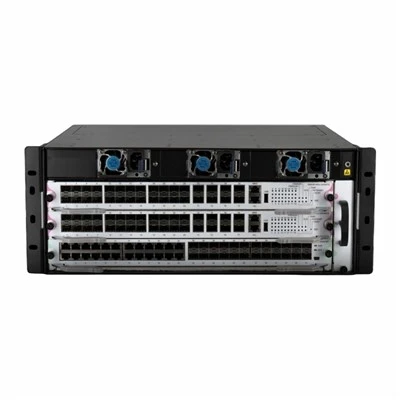

As a supplier of Poe Switch 24 Port Managed solutions, I get this question all the time: “Can your 24-port managed PoE switch actually work in my NVR-based surveillance network?” It’s a fair one—surveillance networks have specific demands, and a PoE switch isn’t just a random box that plugs in anywhere. Over the years, I’ve walked dozens of security integrators, small business owners, and home security system designers through this exact scenario, and the short answer is: yes, but only if you match your switch’s features to what your NVR and cameras need. Let’s break this down like we would with a client sitting across the table, no jargon overload, just real-world use cases.


First, let’s start with the basics of how an NVR-based surveillance network works. Your network core here is pretty simple: IP cameras send high-resolution video feeds (think 4K, 8K, or even 12K these days) back to a Network Video Recorder (NVR) that stores footage. Most IP cameras are PoE-enabled, which means they get both power and data over a single Ethernet cable—no separate power adapters needed, which cuts down on cable runs and installation cost. That’s where a 24-port managed PoE switch comes in: it’s the middleman between your cameras, your NVR, and any other network gear you might have.
Wait, why managed vs. unmanaged? For surveillance, unmanaged switches are fine for tiny setups—like 4 or 5 cameras in a small retail office. But when you’re talking 24 cameras, or a space where you need to prioritize video traffic over other devices (like a cash register or point-of-sale system), a managed switch is non-negotiable. That’s where our Poe Switch 24 Port Managed stands out: it lets you do things like Quality of Service (QoS) tagging, VLAN segmentation, and power budgeting—all critical for keeping your video feeds smooth, no dropped frames, no gaps in footage.
Now, let’s talk about the hard requirements. First, power budget. Our 24-port managed PoE switch delivers 30W per port (or 60W for high-power cameras, like PTZ cameras with pan/tilt/zoom that use more power). A typical 4K PoE camera uses about 15W to 25W, so a 24-port switch can easily power a full set of 24 cameras without overloading. But wait—if you’re mixing high-power cameras (like 60W PTZs) with regular bullet cameras, you have to make sure total power draw stays under the switch’s maximum (our model has a 370W total budget, which is enough for almost all mid-sized surveillance networks). That’s a common mistake people make: they buy a cheap unmanaged PoE switch and blow the power budget, causing cameras to randomly disconnect. Our managed switches let you check power usage in real time via the web interface, so you can adjust if needed.
Next, data bandwidth. This is where I see a lot of integrators cut corners. A 4K camera streams about 25 Mbps to 50 Mbps per feed, so 24 cameras add up to 600 Mbps to 1.2 Gbps of total video traffic. Our 24-port managed PoE switch has gigabit Ethernet ports—each port supports up to 1 Gbps, which is more than enough for most cameras. But if you’re using 8K cameras, or you want to connect your NVR to the switch with a faster link, you might want to upgrade. That’s where a 10 Gbe Poe Switch makes sense, or if you need fiber links for longer runs, a 24 Port 10gb Sfp Switch can connect to your cameras or NVR via fiber, which works for up to 10km runs—perfect for outdoor surveillance where Ethernet can only go 100 meters.
Then there’s the NVR connection. The NVR needs to receive all those video feeds, so the switch’s uplink port (the port that connects to the NVR) can’t be a bottleneck. Our 24-port managed PoE switch has a 1 Gbps uplink, which works for small to mid-sized setups. For larger networks—like a warehouse with 40 cameras—you’d want a Switch 48 Ports Manageable, or a Core Layer Switch that can handle multiple uplinks and route traffic more efficiently. Wait, that’s another point: if your surveillance network is separate from your office network, you need VLANs. Managed switches let you create VLANs, so your cameras’ video traffic stays isolated from your office laptops, printers, and internet traffic. That prevents any network congestion from office devices slowing down your video feeds, which is a big win for security.
Let’s test a real-world example. Take a local grocery store with 20 cameras: 15 bullet cameras (25W each) and 5 PTZ cameras (40W each). Total power draw is (1525) + (540) = 375 + 200 = 575W? Wait, no—wait, PoE switches don’t deliver full power to all ports at once; there’s a 80% power headroom for spikes. Our 24-port switch’s 370W budget is actually enough here? Wait, no, let me correct that—if the PTZ cameras are 60W, then 560=300, plus 1525=375, that’s 675. Oh, right, so for that store, we’d suggest a higher-power model, or a 10 Gbe PoE switch with a 750W budget, to handle the PTZ cameras. But for a small doctor’s office with 8 4K bullet cameras (20W each), our Poe Switch 24 Port Managed works perfectly. The doctor’s office connects the switch’s uplink to their NVR, creates a VLAN just for the cameras, and enables QoS so video traffic has priority over their internet for patient portals. No dropped frames, no missing footage when the office is busy.
Another common question: can I use a Layer 3 Managed Gigabit Switch for NVR surveillance? Yes, especially for larger networks (50+ cameras) where you need to route traffic between different switches. If your surveillance system spans multiple floors, you can use a Layer 3 switch to segment traffic across floors, route video feeds to a central NVR, and manage bandwidth across the whole network. For a small setup, though, a 24-port managed PoE switch is more cost-effective—you don’t need all the Layer 3 routing features if you’re only dealing with one NVR and 24 cameras.
Wait, what about outdoor cameras? A lot of surveillance networks have outdoor cameras that need long cable runs. The maximum Ethernet cable length is 100 meters, but if you need longer, you can use the 24 Port 10gb Sfp Switch to connect your cameras via fiber, which works up to 10km. That’s a huge help for parking lots or perimeter fences where you can’t run a long Ethernet cable without signal loss. Our managed switches also have weatherproof options? No, wait, the switches themselves are indoor, but the SFP modules for outdoor fiber links are rated for harsh conditions, so that works.
Now, let’s talk about downsides to watch for. First, if you buy an unmanaged 24-port PoE switch, you can’t enable QoS or VLANs, so if your office network has a lot of traffic, your video feeds might lag. That’s why a managed switch is better for NVR networks. Second, make sure the switch supports the right PoE standard. Our Poe Switch 24 Port Managed supports 802.3af and 802.3at, which are the standards for most IP cameras. Older cameras might use 802.3af, which uses 15.4W, and our switch will auto-negotiate that, so no compatibility issues. Third, don’t overload the power budget. I see clients buy a cheap 24-port PoE switch with a 150W budget, try to plug in 24 cameras, and half of them disconnect because the switch can’t deliver enough power. Our switch has a 370W budget, which is enough for up to 12 high-power 30W cameras, or 18 standard 15W cameras, so that’s a safe number for most small to mid-sized setups.
Another use case: a school library with 16 cameras. They need to connect the switch to their existing NVR, which is also connected to their school’s network. Using the managed switch, they create a VLAN for the cameras, so the video feeds don’t mix with students’ laptops or the library’s printers. They enable QoS, so when a teacher is streaming a lesson from a tablet, the video traffic from the cameras still gets priority. That’s exactly what a 24-port managed PoE switch is designed for—flexibility without unnecessary complexity.
Wait, what if you’re expanding your network later? Our Poe Switch 24 Port Managed is rack-mountable, so you can add it to your existing server rack, and if you need more ports later, you can pair it with a Switch 48 Ports Manageable to add more cameras. If you need faster uplinks for a growing number of 8K cameras, you can swap in a 10 Gbe Poe Switch or a Core Layer Switch to handle higher bandwidth. That scalability is key—you don’t want to have to replace your entire switch in two years when you add more cameras.
Let me also address a myth I hear all the time: “A PoE switch will interfere with my NVR.” No, not if it’s properly configured. The only time that happens is if you’re using an unmanaged switch with no bandwidth management, or if you’re using a switch that can’t handle the video traffic. Our managed switches let you set the uplink port to prioritize video, so all those camera feeds get to the NVR without being crowded out by other data. For example, if your NVR is connected to the switch’s 1 Gbps uplink, you can set that port to have 90% bandwidth reserved for video, so even if your office is downloading a large file, the video feeds don’t drop.
Now, how do you know if our 24-port managed PoE switch is right for your NVR network? Let’s do a quick checklist:
- Number of cameras: Up to 24? Our switch works. More than 24? Look at a 48-port or add a second switch.
- Camera power needs: Most cameras are 15W-30W, so our 370W budget is enough for 24. If you have high-power PTZs (60W), go for a higher-power model or a 10 Gbe PoE Switch.
- Bandwidth needs: 4K cameras add up to ~1.2 Gbps total, so our gigabit ports work. 8K cameras? Upgrade to the 24 Port 10gb Sfp Switch for faster links.
- Network isolation: Do you need to separate camera traffic from office traffic? Managed switch lets you create VLANs, which unmanaged can’t.
- Future expansion: Rack-mountable, scalable ports, and uplink options mean you can grow without replacing the switch.
I’ve seen too many people buy a random PoE switch for their NVR network, spend extra time troubleshooting dropped frames and disconnected cameras, when a 24-port managed PoE switch from our line solves that problem out of the box. It’s not just a switch—it’s a tool that’s built to support the unique demands of surveillance, where every frame matters.
If you’re setting up an NVR-based surveillance network and want to make sure you’re picking the right switch, don’t guess. Reach out to us to discuss your specific setup—whether you have 8 cameras in a small retail space or 20 in a warehouse, we can help you pick the right Poe Switch 24 Port Managed or a complementary switch (like a 10 Gbe Poe Switch for higher bandwidth, or a 24 Port 10gb Sfp Switch for fiber links) to make your network run smoothly. We don’t just sell switches; we work with integrators and business owners to make their surveillance systems reliable and easy to manage.
References
- "PoE Switch Power Budgeting for Surveillance Networks" – TechInsight Security, 2023.
- "VLAN Configuration for Isolating Surveillance Traffic" – Network World, 2022.
- "Bandwidth Requirements for IP Cameras" – Security Industry Association, 2024.
- "Managed vs. Unmanaged Switches for Small Networks" – PCMag Business, 2023.