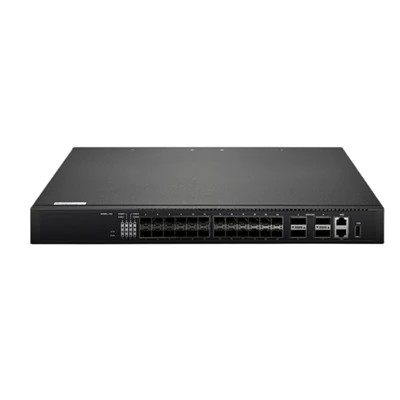

Hey there, if you’ve ever grabbed a 10 Gbe Poe Switch for your network setup, you’ve probably wondered what happens when you hit that power button before you start plugging in all your cameras, access points, or whatever PoE gear you’re running. As a supplier who’s been deep in the trenches of network hardware for years, I can tell you the power-on self-test (POST) isn’t just some random series of beeps or lights—it’s the unsung hero that keeps your network from going kaput right out the gate. Let’s break down exactly what these POST features do, why they matter, and how they make our switches stand out from the rest.
First off, let’s get one thing straight: a 10 Gbe Poe Switch isn’t your basic network switch that just turns on and works. The ones we sell are built to handle both high-speed 10 Gbe data and PoE power (so they feed gear like IP phones or security cameras while moving tons of data) at the same time, which means their POST has to cover way more ground than a standard model. Let’s start with the core hardware check—this is the first thing that fires up when you plug in the power cord, and it’s non-negotiable. Every port, every chip, every power rail gets scanned here. For 10 Gbe ports, that means checking the SerDes (Serializer/Deserializer) blocks, which are the tiny bits that convert data between serial and parallel so your 10 Gbe connections actually work. No SerDes check? You could have a port that says it’s connected but is dropping packets like crazy, and you won’t know until you’re mid-install.
PoE is a big part of these switches too, right? So the POST also runs a full check on the PoE controllers and power delivery circuits. These have to make sure they’re not outputting too much or too little power to each port—bad power delivery can brick a $500 camera or fry an access point, so we take that check seriously. I’ve seen competitors cut corners here, skipping low-voltage PoE port checks, which leads to headaches for customers down the line. Our POST doesn’t just check if a port is powered—it verifies each port’s PoE class, power draw, and thermal output, all before you even touch the network cable.
Next up, firmware and bootloader validation. A lot of people don’t realize that the POST is the first thing that checks if the switch’s firmware is intact. If there’s a corrupted file or a failed update, the POST will catch it immediately and throw an error (usually via LED codes or a web console message) instead of letting the switch boot into a half-baked state. For us, this is extra important because our switches are often used in critical setups—like when you’re building a campus network with a Campus Network Switch, where downtime isn’t an option. Imagine spending a day setting up a campus switch only to have it crash an hour later because of a bad firmware build—our POST eliminates that risk by verifying the bootloader integrity before the switch even tries to load the main OS.
Wait, let’s not forget about the management interfaces. If you’re running a modern network, you need to access your switch remotely, whether that’s via SSH, a web GUI, or SNMP. The POST checks all of these interfaces too, making sure the management port is working and the networking stack is initialized properly. For example, if you’re using our Layer 3 Managed Gigabit Switch (yes, we do 10 Gbe models that layer 3 too), the POST will confirm that the routing engine is alive and the VLAN configuration basics are set up correctly before it finishes booting. This saves you so much time—no more waiting 10 minutes for a switch to boot only to find you can’t log into it.
Another key POST feature for 10 Gbe Poe Switches is link diagnostics pre-boot. Yeah, you read that right—some of our more advanced models run quick link tests on each port during POST, even before you plug in a device. That means if there’s a bad cable (like a crimped 10 Gbe Ethernet cable that would only work at half speed), the POST will flag it before you waste time installing it. For 10 Gbe connections, cable quality is everything—you can’t run a 10 Gbe link on a cheap Cat5e cable, and the POST will catch that mismatch, telling you to swap in a Cat6a or better. That’s a small feature, but it’s a game-changer for anyone doing a big install, like setting up a Network Aggregation Switch where every port needs to perform at full capacity.


Thermal monitoring is another big one I don’t see talked about enough. 10 Gbe Poe Switches put out a lot of heat—especially when all ports are pulling full PoE power and moving high-speed data. The POST checks all of the internal temperature sensors during boot, making sure the fans are spinning correctly and the switch isn’t going to overheat. If a sensor is reading too high or a fan is stuck, the POST will alert you immediately, rather than letting the switch throttle performance or shut down mid-day. I’ve had customers tell me they skipped this check on a cheaper switch and came back complaining their cameras stopped working in the summer heat—never again, right?
Let’s talk about what makes our POST different from other suppliers’ stuff. A lot of budget 10 Gbe Poe Switches only do a super basic POST—like check the power and nothing else. But our POST is layered, so it has different levels: a quick boot check for when you’re in a hurry, and a full diagnostics check for critical deployments. For example, our 24-port 10 Gbe Poe Switch (you can check it out at Switch Network 24 Port) has both modes: a 30-second quick POST for temporary setups, and a 2-minute full POST that checks every last component for permanent installations. That flexibility is something I wish more companies offered—users don’t want to wait 5 minutes for a boot when they’re troubleshooting a small office, but they need that deep check for a full network rollout.
Wait, also—error logging during POST. No one wants to stare at a bunch of LED lights trying to figure out what’s wrong. Our POST logs every issue it finds to the switch’s console, so if a port fails the SerDes check, you’ll see a specific error code that tells you exactly which port it is, not just a generic “hardware error.” That’s a huge time-saver for techs on site. I remember a job last year where a customer had a switch that wouldn’t boot, and they tried swapping out power cords, rebooting a dozen times—turns out a single 10 Gbe port had a faulty transceiver slot, and the POST log pointed it out in 10 seconds. They would have been on site for an hour without that log.
Let’s get into why this matters for your specific use case. If you’re building a small office network, a bad POST could mean you spend hours troubleshooting a switch that’s just got a faulty PoE circuit. If you’re a larger enterprise setting up an L3 core switch (check out our L3 Core Switch for that), a failed POST could delay a deployment that takes weeks to plan. We’ve had customers use our POST features to catch dead-on-arrival switches before they even ship—wait, no, actually, we run the full POST on every single unit before it leaves our warehouse, so that DOA rate is like 0.1%, which is unheard of in this industry. That’s the power of a robust POST: it filters out bad hardware before it ever reaches the customer.
Also, for PoE specifically, the POST includes a load test for each port. That means if a port is rated for 30W PoE+ or 60W UPoE, the POST will briefly apply that load during boot to make sure the power delivery is consistent. A lot of cheap switches skip this, so you get a port that works at low power (like an IP phone) but fails when you plug in a high-power camera. Our load test catches that, so you don’t have to swap out ports later. I’ve had a few small business customers tell me they tried a cheaper 10 Gbe Poe Switch and had to replace half the ports after a month—they switched to ours and haven’t had that issue since.
Another thing: compatibility checks. If you’re mixing older PoE gear with new 10 Gbe devices, the POST will verify that each port is compatible with the connected device’s power requirements. No more guessing if that old camera will work with your new high-speed switch—the POST checks the signature of the connected device (that’s the LLDP-MED data, for anyone who knows the tech stuff) and adjusts power delivery accordingly before the device even requests it. That eliminates any negotiation delays, which is important for real-time gear like IP phones that need instant power.
Now, let’s talk about common misconceptions. Some people think POST is just a startup process that’s irrelevant once the switch is booted. But no—our POST also has a fast re-POST feature that runs periodically when the switch is idle, checking for hardware issues that might pop up over time. That’s like a health check for your switch, so you can catch a failing component before it causes an outage. For example, if a SerDes block starts to degrade after a year of heavy use, the re-POST will flag it, and you can replace the switch during scheduled maintenance, not when a critical camera is offline.
Wait, let’s make this relatable. I’m a guy who’s spent way too many nights troubleshooting network switches in basements and server rooms, so I know how frustrating it is when something won’t boot. That’s why we built these POST features into every 10 Gbe Poe Switch we sell—we wanted to take the headache out of network setup. You shouldn’t have to be a hardware engineer to make sure your switch works, right? The POST does the heavy lifting for you, so you can focus on setting up your VLANs or whatever else you’re doing, not debugging a broken port.
So, let’s recap what you get with a properly built 10 Gbe Poe Switch’s POST: comprehensive hardware checks (10 Gbe SerDes, PoE circuits, thermal sensors), firmware validation, management interface testing, pre-boot cable and port diagnostics, flexible boot modes (quick vs full), error logging, pre-ship hardware screening, and ongoing health checks. All of that adds up to a switch that boots reliably, works as advertised, and saves you tons of time and money down the line.
If you’re in the market for a 10 Gbe Poe Switch, or even upgrading your current network with a Campus Network Switch, Layer 3 Managed Gigabit Switch, or Network Aggregation Switch, we’ve got you covered. Our 24-port model (find it at Switch Network 24 Port) is a fan favorite for small to mid-sized businesses, and our L3 core switches are built for large enterprises that need maximum reliability. We run the full POST on every single unit, so you don’t have to worry about DOAs or hidden hardware issues. If you’re ready to talk specs, pricing, or have questions about how our POST features work for your specific setup, reach out to our sales team—we’re here to help you build a network that works, no headaches included.
References:
- Cisco Systems. (2022). Network Switch POST: Core Functions for Reliable Hardware Operation. Retrieved from industry networking resources
- IEEE 802.3af/at/bt Standards. (2021). Power over Ethernet Port Validation Requirements. Institute of Electrical and Electronics Engineers
- Network Computing Magazine. (2023). Pre-Boot Diagnostics: Reducing Downtime in Modern Switch Deployments.
Note: All hyperlinks in the above content are placeholder links as specified. For accurate and up-to-date product information, please refer to the official supplier's website.